Quick check
Are your website enquiries reaching the right place?
If your website looks fine but leads are quiet, the issue may be hidden in your forms, email delivery, contact flow, messaging, or visibility.
Why EMPEX Digital Chooses Linux for Development and Daily Work
Most people know the three major desktop operating system families: Windows, macOS, and Linux.
All three are capable platforms, and there is no single operating system that is automatically the best choice for every person or business. A graphic designer working heavily within the Apple ecosystem may prefer macOS. A company dependent on specific Microsoft applications may naturally choose Windows.
At EMPEX Digital, however, Linux fits particularly well with the way we develop, test, deploy, automate, and manage digital systems.
It gives developers direct access to powerful command-line tools, works naturally with many web and cloud technologies, provides extensive control over the operating environment, and sits at the centre of a huge open-source ecosystem.
For us, choosing Linux is not about being different. It is about using a working environment that matches the technology behind many of the websites, applications, servers, and automation systems we build.
Linux is much bigger than a desktop operating system
When people first hear Linux, they may imagine a complicated black terminal window used mainly by programmers. That picture is outdated.
Modern Linux distributions provide complete desktop environments with browsers, file managers, application stores, settings interfaces, networking tools, Bluetooth support, multiple displays, and many of the everyday features people expect from a modern computer.
Ubuntu, Linux Mint, Fedora, Debian, Arch Linux, and many other distributions build different experiences around the Linux kernel. Some focus on simplicity, others on stability, development, privacy, servers, or giving experienced users greater control.
Linux is also deeply connected to the wider technology industry. It is commonly found behind servers, cloud infrastructure, containers, development environments, networking equipment, embedded devices, and many open-source projects.
The Linux Foundation describes its role as providing a neutral home for developers and organisations building and scaling open technologies. The ecosystem extends far beyond one operating system and includes major projects used throughout modern technology. You can explore the wider open-source ecosystem through the Linux Foundation.
Development feels natural on Linux
One of the biggest reasons Linux works well for EMPEX Digital is the development environment.
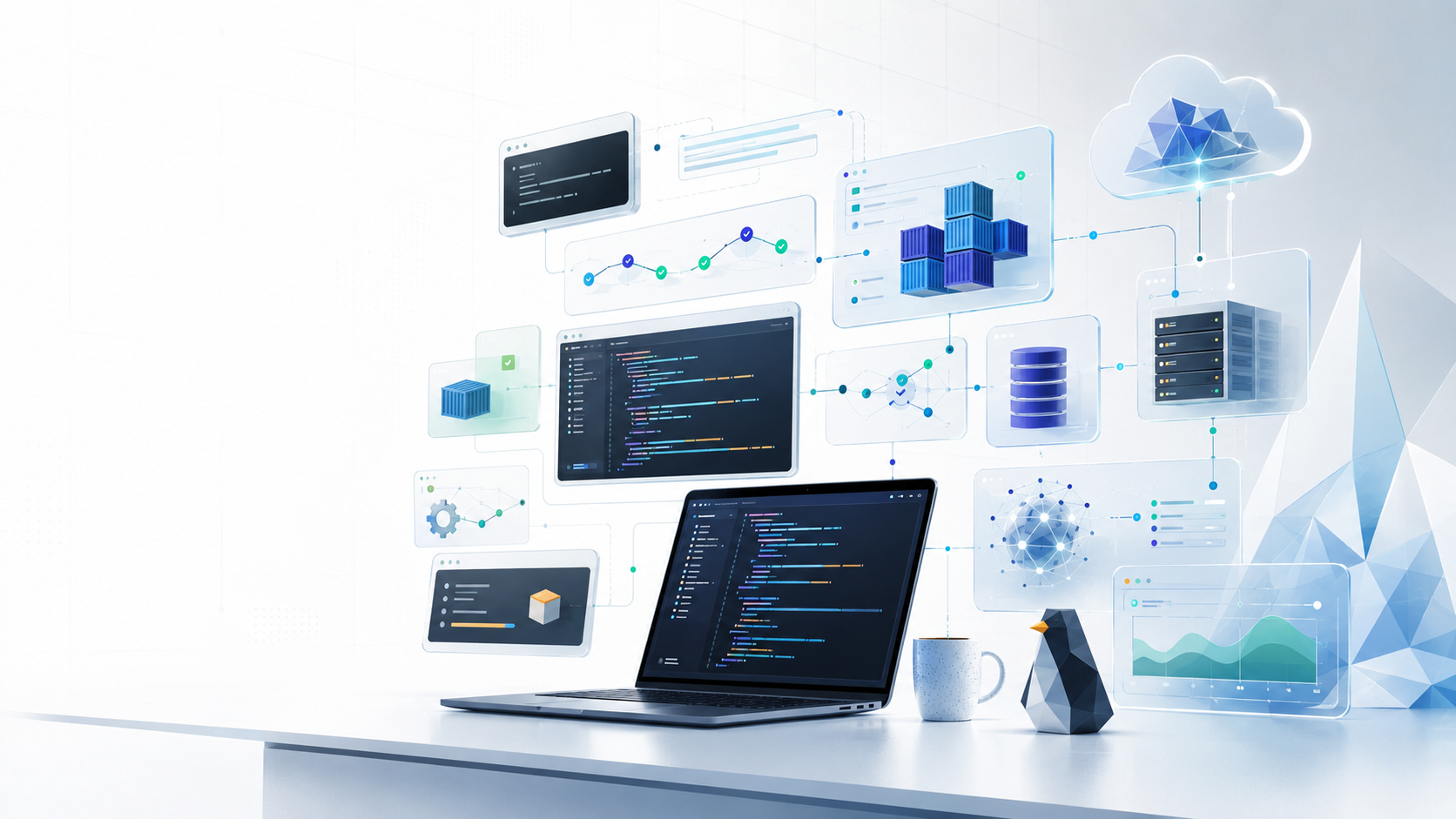
Modern web development involves far more than opening a code editor. Developers regularly work with Git, Node.js, package managers, databases, Docker containers, SSH connections, build tools, environment variables, web servers, cloud services, scripts, and deployment pipelines.
Linux makes many of these tools feel like natural parts of the operating system.
A developer can open a terminal, navigate directly into a project, start a development server, inspect Git changes, connect to a remote machine, manage Docker containers, review logs, or run a deployment script without constantly moving between separate interfaces.
This becomes particularly useful when moving between local development and cloud environments. A command used on the development machine may be very similar to one used when investigating a remote Linux server.
Canonical explains that the Linux terminal can be used not only on the local computer but also to interact with remote machines, virtual machines, and containers. Shell scripts also remain an important foundation for modern automation and continuous integration workflows. You can read more in Why we use the terminal on Linux.
The terminal gives you direct control
The terminal is one of the features that initially makes Linux look intimidating. After using it for a while, it often becomes one of the reasons people stay.
Graphical interfaces are excellent when they make a task easier. We do not believe everything needs to be performed from a command line. But the terminal gives developers a fast and predictable way to communicate directly with the system.
Imagine needing to find a project directory, inspect its files, check the current Git branch, install dependencies, start a development server, and then connect to a remote server. Those actions can be completed quickly from one terminal session.
Commands are also repeatable. If a sequence of actions is performed regularly, it can eventually become a script rather than a manual routine. This is where the terminal moves from being simply another interface into a useful automation tool.
Beginners also do not need to memorise hundreds of commands. Ubuntu's own introductory documentation points out that even experienced Linux users regularly look up or copy commands rather than memorising everything. What matters is understanding what a command will do before running it. You can explore Canonical's Linux command line guide for beginners.
Open source gives developers more visibility and choice
Linux is closely connected with open-source software. Open source generally means that source code is made available under licences that permit inspection and, depending on the licence, modification and redistribution.
For a technology company, this creates an enormous ecosystem of development tools, libraries, databases, server software, programming languages, infrastructure utilities, and community knowledge.
It also reduces dependence on one company controlling the entire operating environment. Linux users can choose between distributions, desktop environments, software repositories, development tools, and different ways of configuring their systems.
That freedom comes with responsibility. Having more control means it is possible to make poor configuration decisions as well as good ones. Linux does not automatically make every computer secure, fast, or reliable.
The advantage is that experienced users can see and control a great deal of what the system is doing.
For developers, that transparency is valuable when diagnosing problems or building environments that need to behave in a predictable way.
Linux and cloud infrastructure work well together
Another important advantage is the relationship between Linux and modern server environments.
When building websites and applications, developers eventually need to think beyond the code running on their own computer. The application may need a web server, database, reverse proxy, background processes, environment configuration, SSL, monitoring, backups, containerisation, or cloud infrastructure.
Linux provides a natural environment for this type of work.
A developer who is comfortable navigating files, reading logs, managing processes, editing configuration files, and using SSH locally already has many of the skills needed to work with Linux-based remote infrastructure.
This reduces the distance between development and operations. When something behaves differently after deployment, developers can investigate the environment directly instead of treating the server as a completely separate world.
That is particularly valuable at an agency where projects can involve websites, bespoke applications, APIs, databases, automation, and third-party integrations rather than only visual page design.
Linux can be efficient without being stripped down
Another reason people choose Linux is flexibility around system resources.
A Linux installation can provide a polished desktop experience, but it can also run with very little graphical overhead when used as a server. The operating environment can be adapted to the purpose of the machine rather than requiring exactly the same setup everywhere.
For development computers, this can mean creating a clean workspace around the tools actually required. For servers, unnecessary desktop applications and visual components may not be needed at all.
This does not mean Linux will automatically make old hardware fast or that every Linux distribution is lightweight. Modern desktop environments can still use substantial memory and processing resources.
The advantage is choice. Users can select an environment that matches their hardware and workload rather than accepting only one configuration.
Software installation is different, but often very convenient
Linux applications are commonly installed through package managers and trusted repositories.
On Ubuntu and other Debian-based distributions, the APT package manager is widely used. Instead of searching the web for individual installers, many applications and system packages can be installed and updated through a central package management system.
For example, updating the available package information on Ubuntu can be done with:
sudo apt update
Available upgrades can then be installed with:
sudo apt upgrade
The word sudo is important. It allows a command to run with elevated administrative privileges, so it should not be used casually.
Canonical specifically warns users to understand commands before running them with sudo, because elevated privileges can make significant system changes. Software repositories and installation instructions from unknown sources should also be treated carefully.
Linux gives you control, but good security still depends on using that control responsibly.
A few terminal commands every beginner can learn
You do not need to become a system administrator to benefit from the Linux terminal. A small number of commands already make it easier to understand where you are, move around the file system, inspect files, and learn what the computer is doing.
Here are some useful commands for someone opening a Linux terminal for the first time:
| Command | What it does |
|---|---|
pwd | Shows the directory you are currently working inside |
ls | Lists files and folders in the current directory |
cd Documents | Moves into the Documents directory |
cd .. | Moves one directory level backwards |
mkdir project | Creates a new directory called project |
touch notes.txt | Creates an empty file called notes.txt |
cp file.txt backup.txt | Copies a file |
mv old.txt new.txt | Moves or renames a file |
cat notes.txt | Displays the contents of a small text file |
clear | Clears the visible terminal screen |
history | Shows recently executed commands |
whoami | Shows the current user |
df -h | Shows disk space in a readable format |
free -h | Shows memory usage in a readable format |
man ls | Opens the manual page for the ls command |
One command beginners should treat with particular care is rm, which removes files. Unlike moving something to the desktop recycle bin, command-line deletion can be immediate.
For example, rm notes.txt removes that file. Commands such as recursive deletion can remove entire directories, so they should never be copied from a tutorial without understanding the path and options being used.
The same principle applies to any command beginning with sudo: stop, read it, understand why administrator privileges are needed, and only then decide whether to run it.
Linux encourages you to understand your computer
One of the things we like most about Linux is that it encourages curiosity.
You can use it like a normal desktop operating system and rarely open the terminal. But if you want to learn more, the operating system gives you plenty of opportunities to look underneath the graphical interface.
You begin by learning how directories work. Then perhaps you inspect running processes, understand permissions, connect to another computer through SSH, write a small shell script, run a Docker container, or configure a local web server.
Over time, actions that originally looked highly technical become normal.
This is useful beyond Linux itself. Learning basic concepts such as files, processes, permissions, networking, environment variables, services, and package management develops a stronger understanding of how software actually operates.
For anyone interested in development, cloud computing, DevOps, cyber security, or infrastructure, those skills can become extremely valuable.
Linux is not perfect
Choosing Linux does involve compromises.
Some commercial desktop applications are available only for Windows or macOS. Certain specialist hardware may have better manufacturer support on another operating system. Gaming compatibility has improved significantly, but there are still titles and anti-cheat systems that may create problems. Business environments heavily dependent on Microsoft-specific desktop software may also find Windows more practical.
Linux distributions differ from each other as well. A solution written for Ubuntu may not apply exactly to Fedora or Arch Linux. Beginners can also damage their systems by following outdated terminal commands from random websites without understanding them.
This is why we do not argue that everybody should replace their current operating system with Linux.
The right operating system should match the work.
For EMPEX Digital, Linux matches a large part of that work extremely well.
Why it fits EMPEX Digital
Our work sits between development, digital services, automation, web infrastructure, and business systems. We need an environment where we can write code, manage repositories, run development servers, work with databases, use containers, automate repetitive tasks, investigate problems, and interact confidently with remote infrastructure.
Linux supports that workflow without getting in the way.
The terminal provides speed when we need it. Graphical desktop applications remain available when they are more practical. Open-source tooling gives us flexibility, while familiarity with Linux environments helps when projects move from development into production.
It also keeps learning close to the daily workflow. Instead of treating infrastructure and development as completely separate disciplines, Linux naturally exposes more of the system underneath the applications we use.
That makes it a strong fit for the kind of agency EMPEX Digital is becoming.
Final thoughts
Linux is not simply a free alternative to Windows or macOS. It represents a different approach to computing built around openness, flexibility, powerful command-line tools, and an enormous ecosystem of open-source technology.
For EMPEX Digital, its main advantage is practical. The same environment works naturally with web development, Git, containers, servers, automation, databases, cloud systems, and many of the technologies we work with every day.
Beginners should not be intimidated by the terminal either. Start with simple commands such as pwd, ls, cd, and mkdir. Learn what each command does before moving forward, be especially careful with sudo and deletion commands, and gradually build confidence through real use.
You do not need to know everything about Linux to benefit from it. In technology, understanding a little more about the system underneath your work can make a surprisingly large difference.
EMPEX Digital will continue sharing practical development, infrastructure, AI, web design, and digital technology insights through our blog. If your business needs help with a website, bespoke application, automation system, or wider digital project, explore our Web Design and Development service, AI Integration service, contact EMPEX Digital, or book a consultation.
Keep reading
Related insights
More practical guidance to help improve visibility, conversion, enquiries, and digital systems.

World Cup 2026 Is Here: A Productive Week at EMPEX Digital
As the FIFA World Cup 2026 begins, we look back at a productive week at EMPEX Digital involving successful client repairs, a new web design campaign, simplified services, a limited free-hosting offer, and plans for the months ahead.
EMPEX Digital Is Simplifying Its Services for Better Project Delivery
EMPEX Digital has updated its service structure. SEO and digital strategy are now delivered as one connected service, hosting and maintenance have moved into optional aftercare plans, and pay-monthly websites are no longer available.
Introducing EMPEX Smart Alerts: Helping Businesses Respond Faster and Miss Less
EMPEX Smart Alerts is our new notification automation service designed to help businesses respond faster to enquiries, bookings, system issues, e-commerce activity, and operational updates. This update explains why smart alerts matter and how they support stronger digital operations.
Discussion
Comments
No comments yet
Be the first to share a useful thought, question, or takeaway from this article.